

Knights ISC
Knights ISC
Mastering Identity and Access with Microsoft Entra ID: A Modern Security Imperative
May 16, 2025
Read time: 5mins
In today’s digital-first world, identity is the new security perimeter. As organizations embrace hybrid work, cloud adoption, and digital transformation, managing who has access to what — and when — has never been more critical. Microsoft Entra ID (formerly Azure Active Directory) stands at the forefront of this shift, offering a robust, cloud-native identity and access management (IAM) platform.
Real-World Lessons and Best Practices
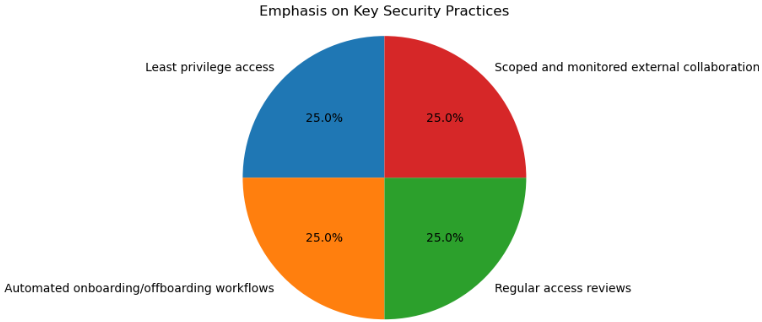
The guide is filled with practical scenarios — from interns accidentally deleting resources to contractors retaining access long after projects end. Each case reinforces the importance of:
Real-World Lessons and Best Practices
The guide is filled with practical scenarios — from interns accidentally deleting resources to contractors retaining access long after projects end. Each case reinforces the importance of:
Takeaway: Identity is Strategy
Microsoft Entra ID is more than a tool — it’s a strategic framework for securing access in a cloud-first world. By combining automation, governance, and adaptive security, Entra empowers organizations to protect their most valuable asset: identity.
Why Identity Matters More Than Ever
Modern threats target users, not just systems. Misconfigured roles, over-permissioned accounts, and unmanaged external identities can all become entry points for attackers. Microsoft Entra ID addresses these challenges by enforcing Zero Trust principles, where no access is granted without verification, and every identity is governed throughout its lifecycle.
Key Capabilities of Microsoft Entra ID
1. Secure User and Group Management
Entra ID enables precise control over user roles and group memberships. Features like dynamic groups, access reviews, and role-based access control (RBAC) ensure that users only have the access they need — and only for as long as they need it.
2. External Identity Governance
Collaborating with partners, vendors, and contractors is safer with Microsoft Entra B2B. Guest accounts can be scoped, time-limited, and reviewed regularly to prevent identity sprawl.
3. Multifactor and Passwordless Authentication
Entra supports MFA, passwordless options (like FIDO2 keys and Windows Hello), and Conditional Access policies that adapt based on risk, location, and device compliance.
4. Privileged Identity Management (PIM)
PIM enforces just-in-time access for sensitive roles, reducing the risk of standing privileges and enabling approval workflows, MFA, and time-bound access.
5. Identity Protection and Risk-Based Policies
Using machine learning, Entra detects risky sign-ins and user behavior, automatically triggering actions like password resets or access blocks.
6. Hybrid Identity Support
Tools like Entra Connect and Cloud Sync bridge on-premises directories with the cloud, enabling seamless identity management across environments.
share
Do you want to know more about our products or have one of our staff contact you?
Feel free to fill in the below form:
Do you want to know more about our products or have one of our staff contact you?
Feel free to fill in the below form:
Phone:
+27 87 094-5472
Email:
Info@knights-isc.co.za
Follow us
